 Website


landing page with ai
How Marketers Build AI Landing Pages in 60 Minutes, Prompt, Edit, Ship
A practical playbook for marketers: prompt section by section to generate an AI landing page, polish copy and images in the visual editor, connect...
Yes, you can generate a working landing page with AI from a short written brief. A section-by-section prompt produces a hero, subhead, conversion blocks, sample CTAs, and a responsive layout, usually in a short time. That draft is not finished work. You still need to edit the copy, swap images, and connect your forms or payment tools before it is ready to publish.
TL;DR:
- Using detailed, section-by-section prompts with a clear brief improves AI landing page quality more than choosing a specific platform.
- The editing phase after generation is critical, requiring sharper headlines, better social proof, and matching CTAs to objections to boost conversions.
- Export options vary: hosted pages are easiest to launch, HTML exports give developers control, and design files suit teams building by hand.
- Starting with a simple lead magnet or demo page helps test the full workflow before tackling larger, multi-page sites.
- A disciplined approach to prompting and editing outweighs the impact of shifting between AI tools.
Table of Contents
- How Does a Landing Page With AI Actually Get Built?
- What Should Go Into Your Landing Page Prompt?
- How Do You Customize the AI-Generated Design?
- Where Do You Publish and Connect Your Landing Page?
- Which Landing Page Templates Fit Your Use Case?
- How WebsitePublisher Fits This Workflow
- Our Take: Prompting Discipline Beats Tool Selection
- Try WebsitePublisher: Where to Start
- Sources
- FAQ
How Does a Landing Page With AI Actually Get Built?
The workflow breaks into three steps, and each one takes a different amount of time.
- Write the brief and generate. You describe your audience, offer, and call to action, then ask the AI to build one section at a time rather than the whole page in one shot. Tools built for this commonly produce a first draft quickly once you submit a clear prompt, according to UXPilot’s product documentation.
- Edit in the visual editor. This is where the real work happens. Rewrite headlines that sound generic, replace stock images, adjust spacing, and check how the page reads on mobile.
- Connect and publish. Link your form to an email tool or CRM, add an analytics pixel, then publish on a hosted domain or export the code.
Expect the draft itself to take minutes. Polishing and connecting integrations typically takes 15 to 60 minutes, depending on how many tools you’re wiring up.
What Should Go Into Your Landing Page Prompt?
Most bad AI output traces back to one problem: a vague prompt. Practitioners who write AI prompts for landing pages professionally rely on a short brief instead of typing a blank request and hoping for the best. Six lines is usually enough:
- Reader persona: who is landing on this page, and what do they already believe?
- Status quo: what are they doing today instead of buying from you?
- Single promise: the one outcome your product delivers, stated plainly.
- Main objection: the doubt that stops them from converting.
- Voice: three adjectives that describe how the copy should sound.
- CTA: the exact action you want them to take.
Once the brief is set, prompt section by section instead of asking for a full page at once. Generators built around this pattern, including the Landing Page Prompt Generator, ask for the hero first, then the subhead, then features written as benefits, then social proof, then FAQ. Each pass gets sharper output than a single mega-prompt because the model isn’t juggling five jobs at once.
A reusable template looks like this: “Write a hero headline for [product] aimed at [persona] who currently [status quo]. The promise is [outcome]. Overcome the objection that [objection]. Tone: [voice].” Swap the brackets and reuse it for every new page.
Pro Tip: If the output reads flat, don’t scrap the whole prompt. Add one more line of context, usually a real customer objection or a specific number, and regenerate just that section.
How Do You Customize the AI-Generated Design?
A template gets you moving fastest when your offer is standard: a signup form, a pricing table, a lead magnet. Custom layout work is worth the extra time only when your product genuinely doesn’t fit a standard shape, like a multistep configurator or a page with heavy visual storytelling.
Inside the editor, four controls do most of the work:
- Module swapping: drag in a testimonial block, a comparison table, or an FAQ accordion without touching code.
- Inline copy edits: click any headline or paragraph and rewrite it directly.
- Color and typography tweaks: match your brand palette without digging through CSS.
- Image replacement: swap AI-suggested visuals for real product screenshots or photos.
Design tools with AI features can now produce responsive, interactive layouts that carry over into prototyping software, a workflow Figma’s AI landing page tools demonstrate directly. Always preview the mobile view before publishing. What looks balanced on a desktop screen often stacks awkwardly on a phone.
Generating two or three headline or CTA variants and running a simple split test costs little extra effort once the base page exists, and it’s the fastest way to find out which promise actually lands with your audience.
Where Do You Publish and Connect Your Landing Page?
Export choices determine how much technical follow-up you’ll need. Practical generators tend to offer three paths, according to UXPilot’s export documentation: hosting the page directly on the platform, exporting clean HTML for your own server, or exporting to a design file for a developer to finish.
Before you flip the page live, work through this short checklist:
- Connect your form to your email tool or CRM so leads land somewhere you’ll actually see them.
- Add an analytics tag and any conversion pixels you need for ad platforms.
- Enable a payment integration if you’re selling directly on the page.
- Fill in the title tag, meta description, and image alt text, and confirm mobile load speed.
- Confirm where form submissions are stored and how you’d export that list if you switched tools later.
Hosted pages are fastest to launch. HTML exports give developers more control. Design-file exports work best when your engineering team wants to build the final version by hand.
Which Landing Page Templates Fit Your Use Case?
Different offers call for different structures, and picking the wrong one wastes your editing time later.
- SaaS demo or trial: lead with the outcome promise, add a screenshot carousel showing the product in action, and connect the signup form straight to your CRM.
- Lead magnet: keep the form to one or two fields, deliver the resource instantly, and follow up with an automated email sequence.
- Product launch: use a preorder CTA, a scarcity indicator like limited stock or a countdown, and a social proof module near the fold.
- Event or webinar: include an add-to-calendar button, a short registration form, and automated reminder emails before the date.
Matching your project to one of these before you write your brief saves a round of edits, since the layout the AI generates will already assume the right structure.
How WebsitePublisher Fits This Workflow
Our team built WebsitePublisher around the exact three-step flow described above, because that’s the pattern that gets marketers from idea to a live page fastest. You describe the page you want in plain language, and the platform generates it section by section so you can review and adjust before moving to the next block.
A few specifics worth knowing:
- The platform accepts natural-language prompts and works with multiple AI models.
- Built-in integrations cover email, payments, analytics, and CRM connections, which cuts down the setup work that normally follows generation.
- Components are reusable and data-driven, so updating a price or a headline across several pages doesn’t mean editing each one by hand.
- Everything stays editable in your browser after generation. You’re not stuck reopening an AI chat session every time you want to change a sentence.
Pro Tip: Start your first project with a single-page lead magnet rather than a full multi-page site. It’s the fastest way to see the whole generate, edit, publish cycle before you commit to a bigger build.
Our Take: Prompting Discipline Beats Tool Selection
The advice circulating about AI landing pages spends too much time comparing tools and not enough time on the input side of the equation. Our research kept pointing to the same conclusion: a precise six-line brief and section-by-section prompting change the output more than switching platforms ever will. A vague one-line prompt produces generic copy on any tool. A specific brief with a real objection and a clear voice produces something usable on most of them.
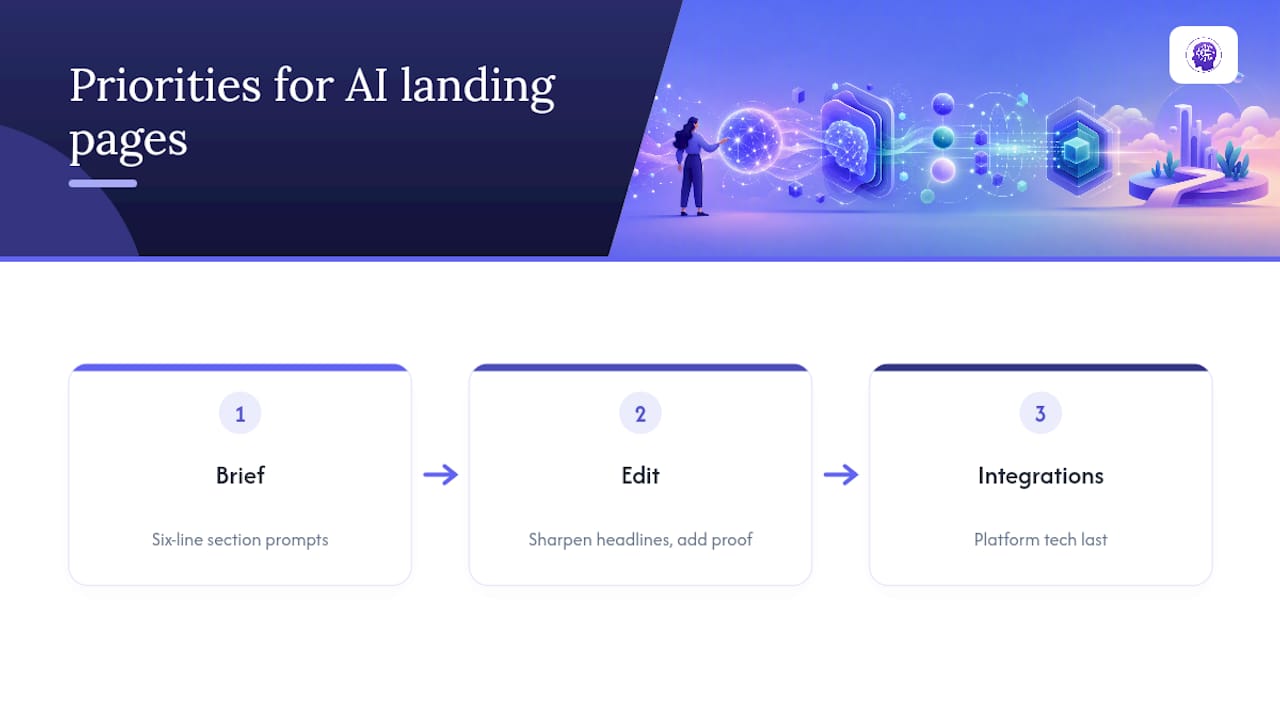
Where conventional advice falls short is treating generation as the finish line. The draft is the start. The gap between a forgettable AI page and one that actually converts is almost always in the editing pass: sharper headlines, real social proof, a CTA that matches the objection you named in your brief. Skipping that step is the single most common way marketers end up disappointed with AI-generated pages.
Prioritize the brief first, the editor second, and integrations third. Get those three in the right order and the platform you pick matters far less than the discipline you bring to the prompt.
Try WebsitePublisher: Where to Start
WebsitePublisher gets you from a written brief to an editable landing page draft in one sitting, with the section-by-section generation, visual editor, and built-in integrations described above already working together instead of requiring separate tools stitched by hand.

Start with a free trial on the AI website builder and generate your first page from a real brief rather than a placeholder one. If you’d rather talk through your page idea conversationally first, the AI website maker walks through that setup step by step. Check the pricing page for current plan details before you commit. Our suggestion for a first project: build a single lead magnet or demo signup page. It’s small enough to finish in one sitting and gives you a clear read on the whole generate, edit, publish cycle before you build anything bigger.
Sources
For more on writing prompts section by section, see the Copyhackers AI prompt guide and the Landing Page Prompt Generator. For conversion-framework templates like PAS and AIDA, check SurePrompts.
- Copy-paste AI prompts to write a landing page | Copyhackers AI
- Landing Page Prompt Generator — Copy That Converts
- AI landing page generator in Figma Make
- AI Landing Page Generator – Create High-Converting Pages
FAQ
Can ChatGPT Build a Landing Page?
ChatGPT can write landing page copy and describe a layout, but it doesn’t publish a live, hosted page on its own. You’ll still need a builder platform, like WebsitePublisher, to turn that copy into an editable, responsive page you can actually publish.
Is There a Free AI Tool That Can Create Landing Pages?
Several AI landing page generators offer a free tier or trial that lets you generate a draft page before you pay for hosting or advanced integrations. Check each platform’s pricing page directly, since free-tier limits and features vary by provider.
What Is the Best AI-Powered Landing Page Builder?
The best choice depends on whether you need section-by-section prompting, built-in integrations, or design-file export for developers. WebsitePublisher combines natural-language generation with over 104 built-in integrations, which reduces the setup work most builders leave to you after the draft is done.
Is There a Most Recommended AI Landing Page Generator?
There isn’t one universal answer, since the right generator depends on whether you need hosted publishing, HTML export, or a design handoff to developers. Platforms that support all three export modes, along with structured section-by-section prompting, tend to fit the widest range of marketer needs.
Recommended
- AI Website Builder — Build Websites With ChatGPT, Claude & More
- AI Website Maker — Make a Website by Talking to AI
- Portfolio — Websites Built with AI
- Build Websites with ChatGPT — ChatGPT AI Website Builder
Build your site the same way
Describe what you want. Your AI builds and publishes it — with the full stack behind it: data, auth, forms, payments, integrations and hosting.
See how it works →