 Website


claude website prompts
20 Claude Website Prompts That Deploy as HTML Artifacts
20 copy paste Claude prompts for headlines, features, FAQs, and a full HTML artifact. Choose the right model, refine, and deploy live.
This article gives you ready-to-run Claude prompts and a reusable prompt skeleton that produce landing page copy and deployable HTML artifacts. Three prompts to try immediately: a hero/headline generator for quick copy testing, a full-page HTML artifact prompt for a working prototype, and a feature-benefit grid for mid-page content. Headline and copy prompts return text you paste into your site; the HTML artifact prompt returns a working file you can open in a browser or deploy directly. Run copy prompts on Claude Sonnet or Opus, and save the HTML artifact prompt for Claude Opus or Claude Code when the page needs real structure.
TL;DR:
- Using Claude prompts with clear role, context, output format, and constraints ensures consistent, high-quality website content tailored to your brand and audience.
- For quick copy like headlines or FAQs, Sonnet provides fast results; for structured HTML prototypes, Opus or Claude Code deliver more reliable, deployable artifacts.
- Uploading brand assets, style references, or competitor sites helps Claude generate more accurate and visually aligned landing page designs, reducing revision rounds.
- Reusable prompt templates with variable placeholders accelerate workflows and maintain consistency across multiple projects without rewriting prompts each time.
- Deploying Claude-generated HTML directly to hosting platforms requires local testing, accessibility checks, and optimization, turning prototypes into live, user-ready pages.
Table of Contents
- Copy-Paste Claude Prompts for Hero Sections, Features, and CTAs
- How Do You Structure a Claude Prompt for Website Content?
- Which Claude Model Should You Use for Website Prompts?
- Can Claude Use Your Brand Files to Build a Website?
- What Claude Console Tools Help You Write Better Prompts?
- How Do You Test and Improve Claude-Generated Website Content?
- 20 Ready-to-Use Claude Prompts for Landing Pages
- How Do You Deploy a Claude HTML Artifact to a Live Page?
- How WebsitePublisher.ai Puts Claude Prompts Into Practice
- Should You Run Claude Prompts Yourself or Use a Managed Workflow?
- Start Building With Claude Without Losing Your Work
- Sources
- FAQ
Copy-Paste Claude Prompts for Hero Sections, Features, and CTAs
The fastest way to stop staring at a blank page is to hand Claude a specific, well-scoped request instead of “write me website copy.” Below are prompts we have refined for the sections every landing page needs, based on the structured-output guidance in Anthropic’s prompting best practices. Copy them, swap the bracketed variables, and run them as-is.
-
Three headline options. “Write 3 headline options for a landing page selling [product/service] to [audience]. Each headline should be under 10 words, lead with the core benefit, and avoid clichés like ‘revolutionary’ or ‘game-changing.’ Return them as a numbered list with a one-line rationale for each.”
-
Hero section, three variants. “Write 3 different hero sections for [business name], a [business type] targeting [audience]. Variant 1: short and punchy (under 40 words). Variant 2: narrative, opening with a relatable problem (60 to 80 words). Variant 3: benefit-led, listing the top 3 outcomes the customer gets. Include a headline, subheadline, and CTA button text for each.”
-
Feature-benefit block. “Create a 3-item feature-benefit block for [product]. Each item needs a 4 to 6 word feature label, one sentence explaining the customer benefit (not the mechanism), and a short icon suggestion. Keep the tone conversational, not corporate.”
-
Testimonial-style snippets. “Draft 3 short testimonial-style snippets (2 sentences each) that reflect the kind of feedback a [business type] might realistically get from customers about [specific outcome]. Label these clearly as placeholder examples to be replaced with real customer quotes.”
-
FAQ block. “Write 3 FAQ entries for a [business type] website. Questions should reflect what a first-time visitor would actually type into Google. Answers should be 2 to 3 sentences, plain language, no fluff.”
-
SEO meta title and description. “Write an SEO meta title (under 60 characters) and meta description (under 155 characters) for a page about [topic]. Include the primary keyword [keyword] naturally. No keyword stuffing.”
-
Full single-file HTML artifact. “Build a complete, responsive, single-file HTML landing page for [business name], a [business type]. Include a hero section, a 3-item feature grid, a testimonials section with placeholder content, an FAQ accordion, and a footer with contact info. Use semantic HTML, inline CSS, and make it mobile-responsive. Avoid default-looking AI layouts. Propose a distinct color palette and typography pairing before building.”
For quick copy tasks like headlines and FAQ blocks, Claude Sonnet handles the job fast and cheap. When you need a full HTML artifact with layout logic, responsive breakpoints, and interactive elements, switch to Claude Opus or Claude Code, which tend to produce more self-correcting, structurally sound output on longer builds, according to Claude Code’s prompt library.
Once you have a first draft, refine it with a follow-up prompt rather than starting over. Try: “Shorten the hero copy to under 30 words while keeping the core benefit. Keep the tone confident, not salesy.” Or: “Rewrite this in Spanish for a Latin American audience, keeping the CTA short and direct.” Iterating on existing output is almost always faster than regenerating from scratch, and it keeps the tone consistent across a page.
How Do You Structure a Claude Prompt for Website Content?
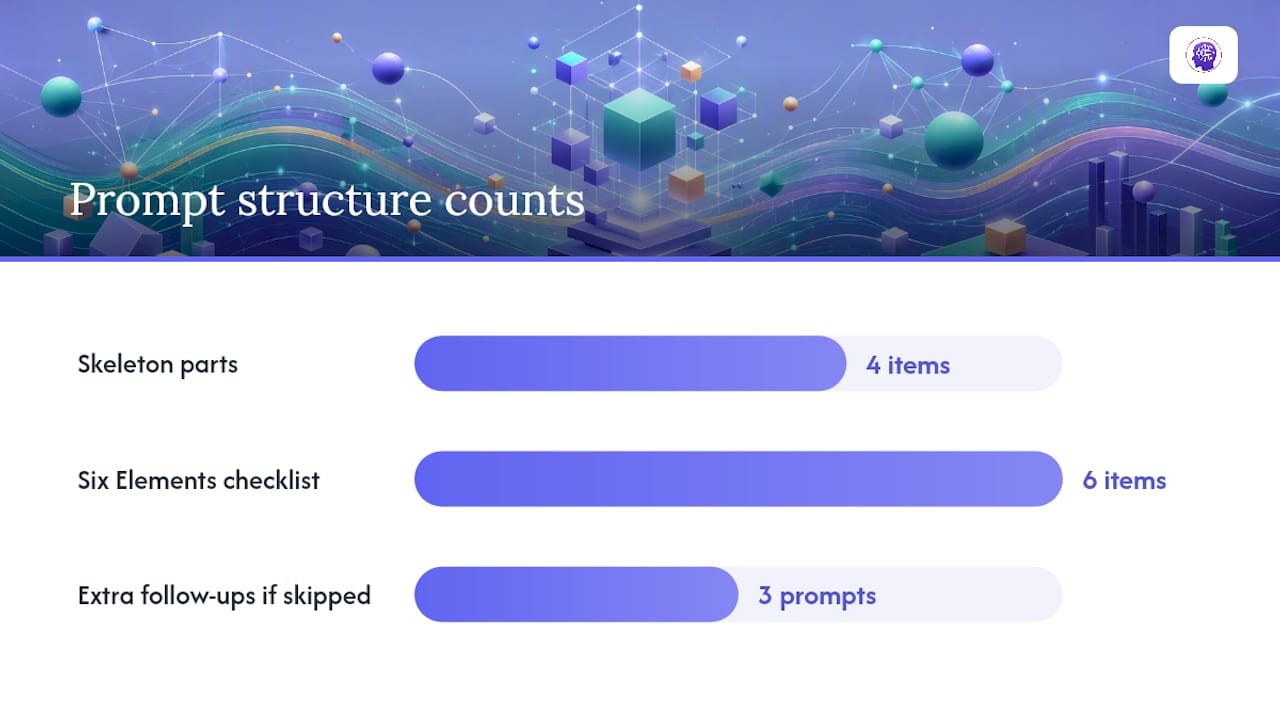
A reusable prompt skeleton works like a recipe card: swap the ingredients, keep the method, and you get consistent results every time, an approach backed by the prompt-structure principles at Learn Prompting. The skeleton has four parts, and skipping any one of them is usually why a Claude output feels generic.
- Role. Tell Claude who to be. “You are a conversion copywriter specializing in SaaS landing pages” produces sharper output than no role at all.
- Context. Give Claude the brand, audience, and any existing assets. “This is for [brand], a [industry] company targeting [audience]. Our tone is direct and no-nonsense.”
- Output format. Specify exactly what you want back: plain text, a numbered list, JSON with named fields, or a complete HTML file. Vague requests get vague structure.
- Constraints. Length limits, tone rules, banned words, brand colors, accessibility requirements. This is where most first-draft prompts fall short.
The Six Elements checklist used by practitioners writing website prompts covers purpose, audience, sections, style, content, and technical requirements, and hitting all six in one prompt reduces the number of revision rounds you need. Skip constraints and you will spend three follow-up prompts fixing tone or length that you could have specified up front.
One habit separates prompts that produce deployable code from prompts that produce something you have to rebuild: describe the outcome you want, not the steps to get there. Instead of “use a flexbox container with three divs,” write “the page should display three services side by side on desktop and stack on mobile.” Letting Claude determine implementation, rather than dictating file structure, tends to produce more production-ready code, a pattern confirmed in Claude Code’s prompt library.
Here is the skeleton applied to a real request:
“You are a landing page copywriter. Context: this is for [Brand Name], an online store selling handmade ceramics, targeting design-conscious home buyers aged 25 to 45. Output format: a hero section with headline, subheadline, and CTA button text, returned as plain text. Constraints: under 50 words total, warm and personal tone, no exclamation points, avoid the words ‘artisan’ and ‘curated.’”
Swap “handmade ceramics” for “bookkeeping services,” change the audience, and adjust the constraints, and the same skeleton works for a completely different site.
Pro Tip: Save your best skeleton as a template with bracketed variables, then reuse it across every new project. It turns a 10-minute prompt-writing session into a 90-second swap.
Which Claude Model Should You Use for Website Prompts?
Claude’s model family behaves differently depending on the task, and picking the wrong one wastes both time and tokens. Anthropic’s own prompting documentation lays out model-specific scaffolding changes worth knowing before you start a project, particularly for the newer Fable and Mythos families, per Claude’s prompting best practices.
- Raise effort or enable extended thinking for long or multi-step builds. A single hero section does not need it. A full multi-page site with navigation logic and dynamic sections benefits from it.
- Don’t ask Fable models to narrate their internal reasoning as response text. Requesting a play-by-play of “how you’re thinking about this” can trigger refusal behavior or odd fallbacks. Use structured thinking blocks or a send-to-user tool for staged updates on long-running tasks instead, a scaffolding change Anthropic documents for Claude Fable 5.
- With Sonnet, ask for multiple distinct design directions rather than relying on randomness. Sonnet and similar models don’t accept a temperature parameter the way older tools did, so if you want three different visual takes, you have to ask for three explicitly, each with its own background hex, accent hex, and typeface, Anthropic’s Sonnet guidance confirms.
- Expect Opus to self-correct on longer text tasks. For dense copywriting jobs like a full FAQ page or an About page with a brand story, Opus tends to catch and fix its own inconsistencies mid-generation more reliably than lighter models.
The practical takeaway: match the model to the job size, not the job type. A three-sentence CTA and a full HTML artifact are both “website content,” but they call for different levels of model horsepower.
Can Claude Use Your Brand Files to Build a Website?
Claude can read uploaded files and images directly, which means you don’t have to describe your brand in words alone. Uploading context files (a brand brief, project descriptions, design screenshots) lets Claude use vision and produce HTML artifacts that actually match your narrative and aesthetic, rather than guessing at a generic layout, according to Anthropic’s custom webpage use case.
Before you write the prompt, gather these:
- A brand brief or resume-style document. Anything that states your business, audience, and tone in plain language.
- Project or product descriptions. Bullet points on what you sell and who buys it work fine, no polished copy needed.
- Design screenshots or references. Sites you like the look of, or your existing brand assets, if any exist.
- Fonts and colors. Even a rough palette (hex codes if you have them) saves Claude from guessing.
- Example competitor or inspiration sites. Screenshots of layouts you want to riff on, not copy.
Once uploaded, reference the files directly in your prompt: “Using the attached screenshot as a style reference and the attached brief for tone and audience, build a single-file HTML landing page.” Claude will output an HTML artifact with placeholders for images and logos where it cannot generate real assets, which you swap out before deploying.
After the first artifact, refine with targeted follow-ups: “Add a subtle fade-in animation to the hero text on page load.” Or: “Adjust the responsive breakpoint so the feature grid switches to a single column below 600px instead of 768px.” These small, specific follow-ups tend to work better than asking Claude to “improve” the page generally.
Pro Tip: Upload one clear reference screenshot instead of five vague ones. Claude aligns better with a single strong visual anchor than with a pile of mixed signals.
What Claude Console Tools Help You Write Better Prompts?
Two tools inside the Claude Console solve two different problems, and mixing them up wastes time. The prompt generator builds a first draft from a short description of your task. The prompt improver takes an existing, working prompt and tightens it, often adding XML tags and evaluation scaffolding, based on the tooling described in Claude’s prompting tools documentation.
- Use the prompt generator when starting from nothing. Describe your task in a sentence (“write hero copy for a bakery landing page”) and let the tool draft the skeleton.
- Use the prompt improver once you have a prompt that mostly works. It restructures loose language into role, context, format, and constraints, and flags missing pieces.
- Turn a working prompt into a template with variables. Replace “handmade ceramics” and “design-conscious buyers” with
and, and the same prompt scales across every new client or project without a rewrite. - Use evaluation tools to test prompt versions against real inputs before committing to one. Run the same template against three different clients and check whether the output still holds up.
The prompt improver’s XML tags and chain-of-thought scaffolding help on complex, multi-part tasks, but they add latency you don’t need for a quick headline request. Save the improver for prompts that consistently need editing, and keep simple, high-frequency prompts (like the headline generator above) lean.
How Do You Test and Improve Claude-Generated Website Content?
Treat prompt writing like any other repeatable process: define what “good” looks like, test variants, and keep a record of what won.
- Set your evaluation criteria before you generate anything. Common ones for website content: factual accuracy, SEO readiness (keyword placement, meta length), accessibility (alt text present, contrast ratios reasonable), and page load size for HTML artifacts.
- Generate 2 to 3 variants from the same prompt skeleton. Change one variable at a time (tone, length, structure) so you can tell what actually caused the improvement.
- Run a quick check, human or automated. A five-minute read-through against your criteria list catches most obvious problems. For HTML artifacts, open the file in a browser and resize the window to check responsiveness.
- Pick a winner and log it. Record the prompt version, the variable set used, and why it won. A simple spreadsheet with columns for project type, prompt version, and outcome works fine.
- Tag prompts by project type for reuse. “SaaS hero,” “local service FAQ,” “e-commerce product page” as tags saves you from rewriting prompts you have already solved.
Separating your fixed instruction template from the variables you swap per project is what lets a team scale this beyond one person’s habits, a workflow pattern echoed in Promptitude’s guide to prompt engineering. Small teams can automate simple A/B checks by running two prompt variants on the same brief and comparing word count, keyword placement, and tone against a checklist, without needing dedicated testing software.
20 Ready-to-Use Claude Prompts for Landing Pages
Each entry below names the output type, a suggested model, and a one-line note on when to use it. Copy the prompt text and swap the bracketed variables.
- Headline generator (Sonnet, fast). “Write 3 headlines for [product] targeting [audience], under 10 words each.” Use for quick A/B copy testing.
- Hero, short version (Sonnet). “Write a hero headline, subheadline, and CTA for [business], under 40 words total.” Use for above-the-fold speed.
- Hero, narrative version (Opus, better for tone nuance). “Write a hero section opening with a relatable problem for [audience], 60 to 80 words.” Use when the product needs context before the pitch.
- Feature grid, 3 items (Sonnet). “Create a 3-item feature-benefit block for [product], each with a label and one benefit sentence.” Use for mid-page scanning sections.
- Feature grid, 6 items (Opus, for consistency across more items). “Create a 6-item feature-benefit grid for [product], grouped into 2 categories.” Use for feature-heavy SaaS pages.
- CTA button copy (Sonnet). “Write 5 CTA button text options for [action], under 4 words each.” Use when testing conversion language.
- About page draft (Opus). “Write an About page for [business], covering origin, mission, and what makes the approach different, 200 words.” Use for brand storytelling pages.
- FAQ block, 3 items (Sonnet). “Write 3 FAQ entries answering what a first-time visitor to [business] would ask.” Use for objection handling.
- FAQ block, 5 items (Opus, for longer consistency). “Write 5 FAQ entries covering pricing, process, and timeline for [business].” Use for service businesses with longer sales cycles.
- SEO meta pair (Sonnet). “Write an SEO title and description for a page about [topic] targeting the keyword [keyword].” Use per-page before publishing.
- Product description (Sonnet). “Write a 60-word product description for [product], focused on the outcome, not features.” Use for e-commerce listings.
- Testimonial placeholders (Sonnet). “Draft 3 placeholder testimonial examples reflecting realistic feedback for [business type], clearly labeled as placeholders.” Use to visualize layout before real quotes arrive.
- Pricing table copy (Opus, for consistency across tiers). “Write 3 plan names and one-line descriptions for [business]'s pricing tiers.” Use when structuring a pricing page.
- Footer copy (Sonnet). “Write footer copy including a short tagline and contact CTA for [business].” Use for closing-page consistency.
- 404 page copy (Sonnet, quick and low stakes). “Write a friendly 404 page message for [business], under 30 words.” Use for a small brand-consistency win.
- Full HTML artifact (Opus or Claude Code). “Build a complete responsive single-file HTML landing page for [business] with hero, features, testimonials, FAQ, and footer sections.” Use for a first working prototype.
- Design direction proposal (Sonnet). “Propose 3 distinct visual directions (background hex, accent hex, typeface) for [business]'s landing page before building.” Use before committing to a full build.
- Trim/shorten follow-up. “Shorten this copy to under [X] words while keeping the core message.” Use after a first draft runs long.
- Translation follow-up. “Translate this copy into [language], adjusting idioms so it reads naturally, not literally translated.” Use for multi-market pages.
- HTML conversion follow-up. “Convert this copy into a complete HTML section with semantic tags and inline styling matching the existing artifact.” Use when copy exists but needs to become code.
Once a prompt from this list earns its place in your regular rotation, save it as a Console template or a reusable skill rather than retyping it from memory each time. That single habit is what turns a one-off prompt into a repeatable workflow across every new project your team touches.
How Do You Deploy a Claude HTML Artifact to a Live Page?
An HTML artifact is a prototype, not a finished product, until you validate it.
- Open the file locally and check the basics. Confirm the layout holds up at desktop, tablet, and mobile widths, and that no text overflows its container.
- Add missing accessibility attributes. Check that images have alt text and that interactive elements (buttons, accordions) are keyboard-navigable. Claude often includes some of this by default, but verify it, especially on custom components.
- Deploy to Netlify. Upload the single HTML file directly through Netlify’s drag-and-drop deploy, or connect a repository if you have split the file into a small project structure. Check the live URL against the same responsive breakpoints you tested locally.
- Run optimization follow-ups after deploy. Ask Claude for help with load speed (“suggest ways to reduce this page’s load size under 200KB,” a target style Claude Code’s documentation recommends framing as a measurable goal), missing alt text, or tightening the meta description for SEO.
Treat the artifact-to-live-page step as quality control, not a rubber stamp. A page that looks right in the Claude preview window can still break on a real phone screen.
How WebsitePublisher.ai Puts Claude Prompts Into Practice
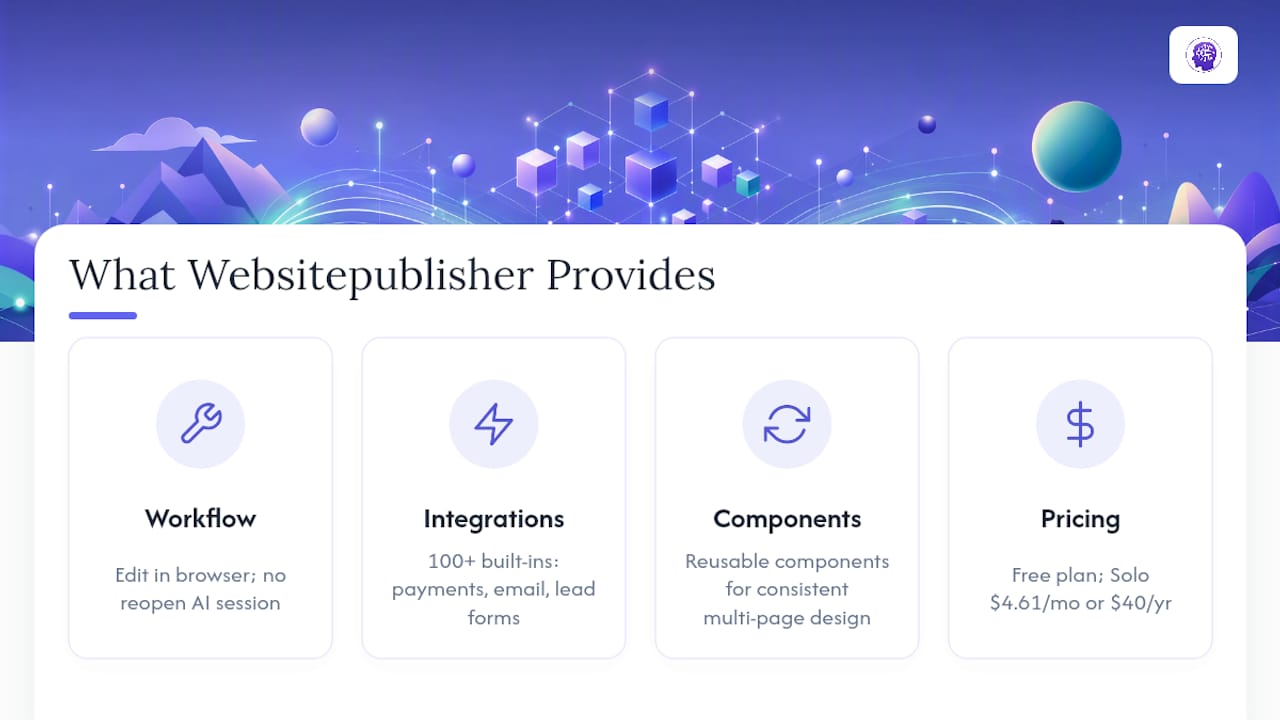
Across customer projects, our team sees the same pattern that this article walks through: a skeleton prompt produces a first draft, and reusable components turn that draft into a real page fast. Instead of rebuilding a hero section or feature grid from scratch every time, WebsitePublisher.ai lets you carry those components across projects with consistent structure.
The bigger difference shows up after the first draft. A raw Claude artifact lives in one chat session, and once that session ends, updating it means going back to the prompt. WebsitePublisher.ai keeps the output editable in a browser, so content and design changes do not require regenerating the whole page or reopening the original Claude conversation. That distinction matters most for anyone who plans to update a site more than once, which is most people.
Should You Run Claude Prompts Yourself or Use a Managed Workflow?
Running Claude prompts directly makes sense for prototypes, one-off landing pages, and portfolio sites where you control every detail yourself. Once a project needs real integrations, dynamic data that updates automatically, or repeated content changes across multiple pages, a managed workflow with visual editing saves more time than it costs. Bring in an engineer, not another prompt, the moment a project touches user authentication, payment processing logic, or anything storing sensitive data. Those are security and server-logic problems, not copywriting problems, and no prompt skeleton fixes that.
Start Building With Claude Without Losing Your Work
The gap between a Claude artifact and a live, maintainable website is real, and it’s the exact gap WebsitePublisher.ai is built to close. You describe your site in natural language, Claude (or another supported AI platform) generates the first draft, and you keep visual control over content and design afterward, in your browser, without reopening the original AI session every time something needs a tweak.

The platform runs on over 100 built-in integrations, so a Claude-generated landing page doesn’t stay a static file, it can pick up payments, email capture, and lead forms without a separate build. Reusable components keep design consistent if you’re managing multiple pages or client projects at once, and switching between AI tools doesn’t cost you your project context.
If you want to test this with the prompts above, start on the Claude integration page and run your first hero or HTML artifact prompt there. If you’re ready to move past prototypes, the Free plan costs nothing to start, and the Solo plan runs $4.61 USD per month (or $40 EUR per year) for a first full project. Check current plan pricing and pick the tier that matches your project size.
Sources
For deeper reading beyond this article’s templates, these sources cover the technical details behind Claude’s prompting behavior and model-specific scaffolding:
- Prompting best practices - Claude Platform Docs
- Create a custom webpage | Claude by Anthropic
- Prompt library | Claude Code
FAQ
What Are the Best Claude Prompts for Website Copy?
The strongest Claude website prompts specify a role, brand context, exact output format, and clear constraints like word count and tone. The templates in this article, covering hero sections, feature grids, FAQs, and full HTML artifacts, follow that structure and are ready to copy and adapt.
Which Claude Model Is Best for Building a Website?
Sonnet handles quick copy tasks like headlines and CTAs efficiently, while Opus produces more consistent, self-correcting output on longer text and full HTML artifacts. For agentic, multi-step builds, Claude Code with extended thinking enabled tends to perform best, per Anthropic’s model guidance.
Can Claude Turn a Prompt Into a Deployable Website?
Claude can generate a complete single-file HTML artifact from a well-structured prompt, which you can open in a browser and deploy directly to a host like Netlify. For ongoing edits and integrations like payments or lead capture, a platform such as WebsitePublisher.ai keeps that output editable without regenerating the whole page.
How Do You Get Consistent Results From Claude Website Prompts?
Consistency comes from reusing the same prompt skeleton (role, context, output format, constraints) across projects and swapping only the variables. Saving a working prompt as a Console template, rather than retyping it each time, also reduces variation between runs.
Do I Need to Upload Files for Claude to Match My Brand?
Uploading a brand brief, screenshots, or color references significantly improves how closely Claude’s output matches your actual aesthetic, since the model can reference those files directly instead of guessing. Without uploads, Claude will default to generic layout choices unless your prompt explicitly requests distinct design directions.
Recommended
- AI Website Builder — Build Websites With ChatGPT, Claude & More
- React on WebsitePublisher.ai — Deploy React Landing Pages by Conversation
- Build Websites with ChatGPT
Build your site the same way
Describe what you want. Your AI builds and publishes it — with a real backend behind it.
See how it works →