 Website


ai website prompts
7 Field AI Website Prompts: Copy Paste Templates for Deployable Pages
Copy paste prompts, a 7 field reusable prompt template, tool matches, and a practical workflow to turn AI drafts into live, connected pages.
AI website prompts are structured text instructions that tell tools like ChatGPT, Claude, or Bolt.new exactly what page to build, in what format, and with what code or copy. The right prompt, copied and pasted correctly, can produce a working landing page, portfolio, or product page in minutes. Grab a template below, match it to a tool, and paste it in.
TL;DR:
- Using a specific prompt structure that names sections, style, tech stack, and output format significantly reduces the need for rework and increases the accuracy of the generated webpage.
- Prompt libraries organize examples by page type, providing proven templates for landing pages, portfolios, product pages, and restaurant sites, which helps avoid vague or incomplete instructions.
- Effective prompts should include detailed specifications like asset samples, layout requirements, and any necessary placeholder functions, ensuring the AI’s output is closer to a ready-to-deploy page.
- Connecting generated drafts to live data, backend functions, and ensuring visual consistency remain the main challenges after initial generation, requiring additional manual work.
- Platforms like WebsitePublisher.ai offer continuous editing, integrations, and component reuse, making them better suited for turning AI drafts into fully functional, maintainable websites.
Table of Contents
- AI Website Prompts by Page Type: Copy-Paste Examples
- How to Build an AI Website Prompt That Actually Works
- Which AI Tool Fits Your Prompt
- Where to Find Larger Prompt Libraries
- From Prompt to Live Page: The Workflow
- What We See in Production Website Projects
- The Gap Between a Generated Page and a Finished Site
- Turn a Generated Draft Into a Live Site With WebsitePublisher.ai
- Sources
- FAQ
AI Website Prompts by Page Type: Copy-Paste Examples
Every prompt below follows the same rule: name the sections, name the format, name the stack. Skip any of the three and the AI tool fills the gap with a guess, usually a generic one.
-
SaaS landing page. “Build a SaaS landing page with a hero section (headline, subheadline, CTA button), a three-column features grid, and a pricing block with three tiers. Output as React components styled with Tailwind CSS. Use a blue-and-white color scheme and a bold sans-serif font.” This works in ChatGPT (GPT-4o) or Claude and drops cleanly into v0 style component workflows once you specify React.
-
Portfolio site. “Create a single-page portfolio site with a header (name, title, nav links), an image gallery with six placeholder project cards, and a contact form with name, email, and message fields. Output as plain HTML and CSS, mobile-responsive.” Keep it to plain HTML if you have no framework preference yet; you can convert it later.
-
E-commerce product page. “Generate a product page with a product title, price, image gallery (four thumbnails plus a main image), a size/color selector, and an add-to-cart button that calls a placeholder function
addToCart(productId). Output as React with a mock API hook for cart state.” The placeholder function matters. Without it, some tools invent a fake checkout flow that has nothing to do with your actual backend. -
Restaurant site. “Build a restaurant homepage with a hero image, an opening hours table (Monday through Sunday), a menu section with three categories (starters, mains, desserts), and a reservation CTA linking to a booking form. Output as HTML and Tailwind CSS.” Booking CTAs are the one section restaurant owners forget to specify, then wonder why the AI buried it in the footer.
-
Dashboard or docs layout. “Create a responsive dashboard layout with a left sidebar nav, a top header bar, and a main content area showing a data table with sortable columns (name, status, date). Populate with five rows of sample data. Output as React components.” Sample data isn’t decoration here. Without it, the layout renders empty and you can’t judge spacing or overflow behavior.
Prompt libraries like WebsitePrompts, which lists more than 139 copy-ready prompts, and Meez’s collection of 62 full prompts organize examples exactly this way, by page type, with the tech stack spelled out in each entry.
How to Build an AI Website Prompt That Actually Works
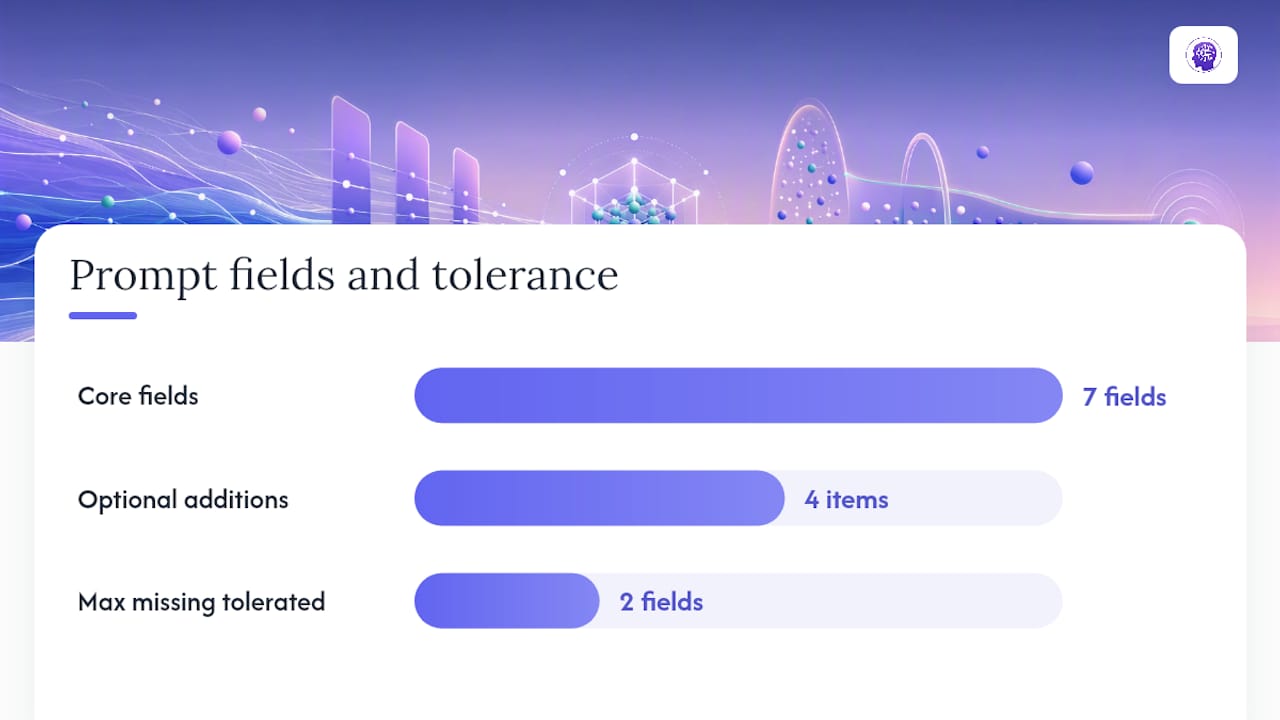
A reliable prompt has seven fields. Miss more than two and the output usually needs a full rewrite instead of a quick edit.
- Project brief: one sentence on what the site or page is for.
- Page goal: the single action you want a visitor to take.
- Sections required: name every block, in the order they should appear.
- Design style: minimal, bold, corporate, playful — pick one word and stick to it.
- Tech stack: React, HTML/CSS, or a specific framework.
- Output format: full file, component snippet, or inline code block.
- Sample assets: placeholder images, sample copy, or mock data.
Optional but useful additions: color tokens (hex codes, not “blue”), a type scale, animation preference (none, subtle, or motion-heavy), and accessibility requirements like contrast ratios or ARIA labels.
The most common error is vague scope. “Build me a nice homepage” produces ten different plausible outputs depending on the model’s mood that day. The second most common error is skipping output format, which leaves you guessing whether you got a full HTML file or a fragment you now have to wire in yourself.
Pro Tip: Write your prompt as if you’re briefing a freelance developer who has never seen your brand. If a stranger couldn’t build the right page from your instructions, neither can the AI.
Which AI Tool Fits Your Prompt
Different tools handle the same prompt differently, so match the tool to the output you actually need.
- ChatGPT (GPT-4o): flexible for both code and marketing copy; a solid default for first drafts.
- Claude: strong with long, detailed specs and multi-step reasoning, useful when a prompt has many interdependent sections.
- Bolt.new and v0: built for React and component output, and they respond well to the exact structure in the prompts above.
- Cursor: an IDE-based workflow, best when you’re iterating on code you already have rather than starting from zero.
- Lovable: a visual builder aimed at non-technical users who want a working draft fast without touching code.
Small phrasing changes improve results per tool. Libraries built for Bolt.new, v0, and similar tools often ship separate system-instruction variants for each platform, because the same wording that works in Claude can confuse a component-focused tool like v0.
Where to Find Larger Prompt Libraries
The examples above cover common page types, but production work usually calls for more range.
- WebsitePrompts hosts a free library of 139+ prompts with per-tool notes for ChatGPT, Claude, v0, Cursor, and Bolt.
- Meez publishes 62 full prompts with tech-stack notes and asset lists baked into each one.
- Promter builds a tailored prompt from your answers to a short questionnaire, rather than handing you a static template.
Check the license before shipping anything to a client project. Open collections often carry MIT or similarly permissive terms, but that’s worth confirming per repository, not assuming.
From Prompt to Live Page: The Workflow
- Pick the prompt template that matches your page type and tool.
- Paste it in and generate the first draft.
- Inspect the output for missing sections, broken layout, or placeholder text left in.
- Enforce your design tokens (colors, fonts, spacing) if the AI ignored them.
- Run local checks: does it render, do links resolve, does the form submit to something real?
- Test on mobile and desktop widths before calling it done.
- Connect any backend pieces (forms, payments, data) the prompt only stubbed out.
Quick test checklist: working links, functional forms, alt text on images, and basic SEO metadata (title tag, meta description). Most generator issues come down to a missing tech-stack line or an under-specified section; going back to the prompt and adding one sentence usually fixes it faster than editing code by hand.
Pro Tip: Keep a “known good” prompt saved for each page type you build often. Reusing a tested prompt beats rewriting one from memory every time.
What We See in Production Website Projects
Across customer projects, we see AI website prompts used constantly for rapid prototypes and landing pages, but the real work starts after generation: connecting that page to live data and integrations. A platform with reusable components handles that step without forcing a rebuild. Standalone prompt workflows are great for a first draft; a platform like WebsitePublisher.ai earns its place once that draft needs to go live.
The Gap Between a Generated Page and a Finished Site
Most advice on AI website prompts stops at the copy-paste moment, as if getting a page to render is the finish line. It isn’t. The harder problem is what happens next: wiring a contact form to an actual inbox, connecting a product page to real inventory, keeping five generated pages visually consistent after you’ve edited three of them by hand.
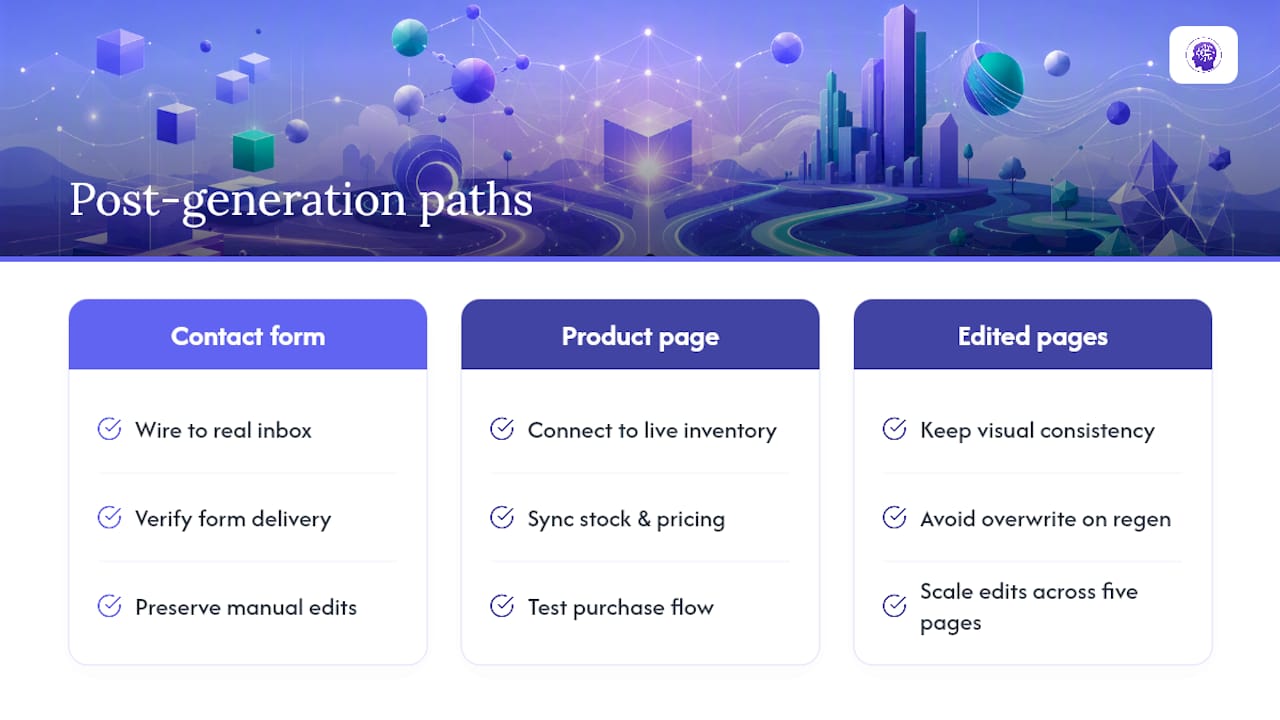
Prompt libraries solve the first mile well. Modular prompt systems that let you combine UI style modules with component specs cut down on the randomness that plagues single-shot prompts, and that’s a genuine improvement over prompting from scratch every time. But no library solves rework. Every time you regenerate a page to fix one section, you risk losing the edits you made to the last version.
Our take: treat prompts as the fastest way to get a first draft, not the system you build a business on. The reader who prioritizes a good prompt template first and a rework plan second will ship a page. The reader who prioritizes both will still have a working site in six months.
Turn a Generated Draft Into a Live Site With WebsitePublisher.ai
WebsitePublisher.ai is the practical next step once a prompt gets you a draft you like but you need it live, connected, and editable without regenerating everything from scratch. You describe the site you want in natural language, and the platform builds it with reusable components and more than 100 built-in integrations for things like payments, email, and lead capture, so a form or a checkout stub doesn’t stay a stub.

Choose WebsitePublisher.ai over a standalone prompt workflow once your project needs backend integrations, consistent components across multiple pages, or visual edits you can make directly in the browser without starting a new AI session and losing your changes. The platform works across multiple AI platforms, including ChatGPT and Claude, so switching tools doesn’t mean losing your project context. Plans start at $4.61 per month on the Solo tier, with Starter, Pro, and Agency tiers available as your projects grow. Check the pricing page and see which tier matches the site you’re building.
Sources
- Website Prompts for ChatGPT, Claude, v0, Cursor and Bolt | Free 2026 Library
- 62 free AI website prompts — full text, copy-paste (2026) | Meez
FAQ
What are the best AI prompts for website design?
The most effective prompts name the page’s sections, design style, tech stack, and output format in a single instruction rather than leaving the AI to guess. Libraries like WebsitePrompts organize proven examples by page type, from SaaS landing pages to restaurant sites.
What are common AI website prompts people use?
The most common ones cover landing pages, portfolios, product pages, and restaurant sites, since these page types have predictable, repeatable sections. A landing page prompt typically asks for a hero, features grid, and pricing block, while a portfolio prompt asks for a gallery and contact form.
What makes an AI prompt ineffective for building websites?
Vague prompts like “build me a nice website” fail because they skip the tech stack, output format, and section list, forcing the AI to guess. Effective prompts, like the templates covered above, specify all three so the output needs minimal rework.
Which AI tools work best with website prompts?
ChatGPT (GPT-4o) and Claude handle flexible code and copy generation well, while Bolt.new and v0 are built specifically for component-based output like React. Cursor suits iterative coding inside an IDE, and Lovable fits non-technical users who want a fast visual draft.
How much does WebsitePublisher.ai cost?
WebsitePublisher.ai’s Solo plan starts at $4.61 per month, with Starter, Pro, and Agency tiers available for larger projects. Full details are on the pricing page.
Recommended
- AI Website Builder — Build Websites With ChatGPT, Claude & More
- AI Website Maker — Make a Website by Talking to AI
- Build Websites with Claude — Claude AI Website Builder
Build your site the same way
Describe what you want. Your AI builds and publishes it — with a real backend behind it.
See how it works →